


Reports & Analytics

Live Dashboards, Statutory Reports, Zero SQL
Live KPI dashboards, MOH-KHIS & DHIS2 statutory reports, drill-downs from CEO to clinician — all built in, no SQL needed.
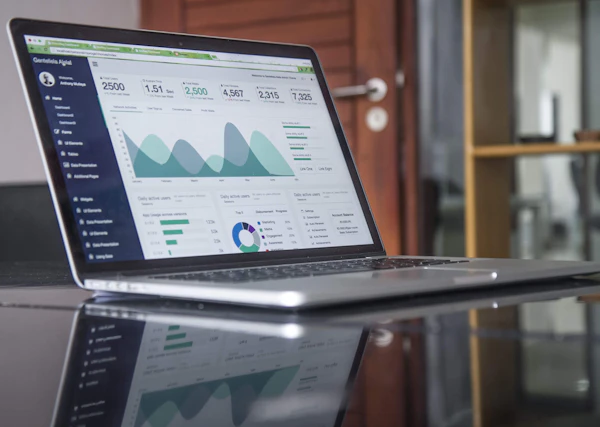
Every action in ClinixCore feeds a live data warehouse. Hospital managers see what matters today — revenue, occupancy, claim aging, stock leakage — without exporting anything to Excel. Department heads drill down to the clinician level. Statutory reports to MOH-KHIS and DHIS2 are aggregated automatically and submitted with one click.
ClinixCore Reports replace the team of analysts most hospitals rely on to assemble monthly board packs. Pre-built dashboards cover revenue, operations, clinical quality and compliance. Custom reports are built in a drag-and-drop builder — no SQL, no engineering tickets, no waiting.
- CEO / CFO Dashboards (Revenue, Occupancy, Claims)
- Department Dashboards (OPD, Lab TAT, Pharmacy Stock-Outs)
- Clinician Dashboards (Caseload, Prescribing, Outcomes)
- MOH-KHIS & DHIS2 Statutory Reports
- Custom Report Builder (No SQL)
- Excel & PDF Export, Scheduled Email Delivery
- Multi-Branch Consolidation

Four Layers of ClinixCore Analytics
Reports are organised by audience — not by feature. Each role sees the data they need to do their job, with the right level of drill-down.
Executive Dashboards
CEO and CFO see live revenue, occupancy, claim aging, stock leakage and branch comparisons. Updated continuously, no manual refresh.
Department Dashboards
OPD throughput, lab turnaround time, pharmacy stock-outs, ward occupancy, theatre utilisation — one screen per department head.
Clinician Dashboards
Caseload by diagnosis, prescribing patterns, average consultation time, patient outcomes — visible to the clinician and (optionally) the medical director.
Statutory Reports
MOH-KHIS and DHIS2 reports are auto-aggregated from the live data and submitted at the click of a button — no manual data entry, no parallel reporting system.
Custom Reports Without Engineering
ClinixCore's drag-and-drop report builder lets non-technical staff build custom reports — pick a data domain (encounters, billing, lab, stock), drag in the fields, set filters and group-bys, save the report, schedule email delivery. Power users get the same data warehouse exposed via a SQL workbench for ad-hoc analysis.

Ready to Modernise Your Hospital?
